by p8

Less typing.
More yapping.

Yap is a free, open source Mac app for voice dictation and screen recording. Turn your speech into text, record your screen, and get things done without the extra work.
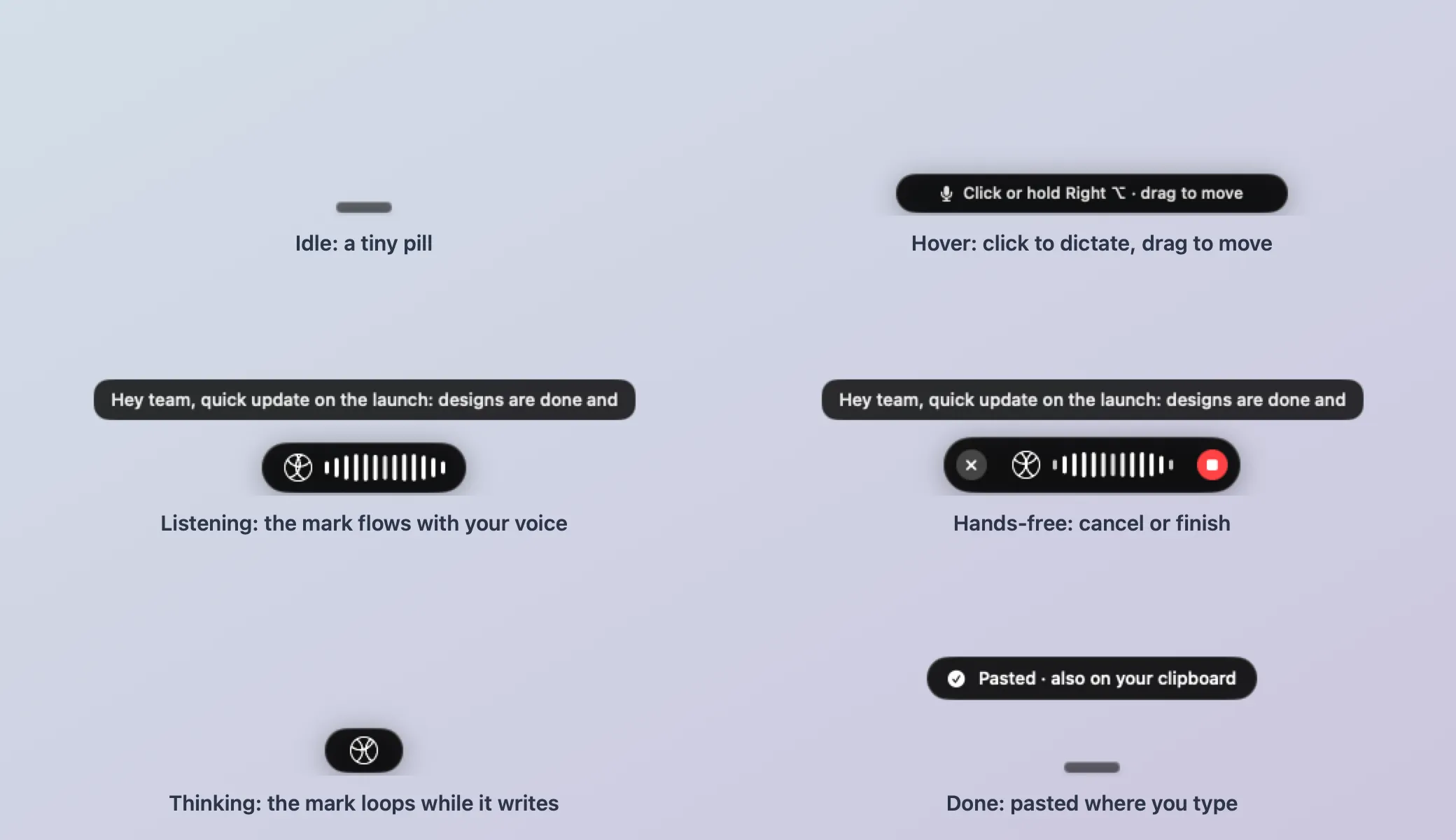
The Yap Flow bar in its states: idle, hover, listening, hands-free, thinking, and pasted

A little app that does a lot.

Voice dictation

Just say it.

Press a key, speak naturally, and Yap types wherever your cursor is. It even cleans up your words as you go.

SSam
Today 9:41

Mockups are up 👀

Looking good!

Are we still on for the sync at 3?

Click to dictate
Screen recording

Show, don't tell.

Record your screen, microphone, and camera. Capture what matters, with automatic zooms and click highlights.

Launch pagePublish
Published
3
Copied to your clipboard
AI tools

Smarter by default.

Rewrite selected text with your voice, generate recording summaries, and create captions automatically.

New Message
To Jordan LeeSubject Friday

Try saying
Click to rewrite
Privacy

Stays on your Mac.

Speech processing and recordings stay local by default. No account, no mandatory cloud processing.

This Mac

Nothing leaves your Mac
Wi-Fi is off. Yap works the same.

It's the little things.

Custom shortcuts
Start talking or recording with a keystroke.
Personal dictionary
Teach Yap names and words you use often.
Hands-free mode
Talk without holding a key.
Recording blur
Hide sensitive details in your recordings.
iPhone microphone
Use your iPhone to dictate directly to your Mac.
Dictation history
Find things you've previously said.
Local AI models
Use Apple's speech engine, Whisper, or your own models.
Open source
Free to use, inspect, and contribute to.

Got something to say?

Yap is free, open source, and ready for your Mac.

Download YapFree forever. No account required.